Overview
We’ve improved the drag-and-drop experience in the builder for Forms, Surveys, and Quizzes.
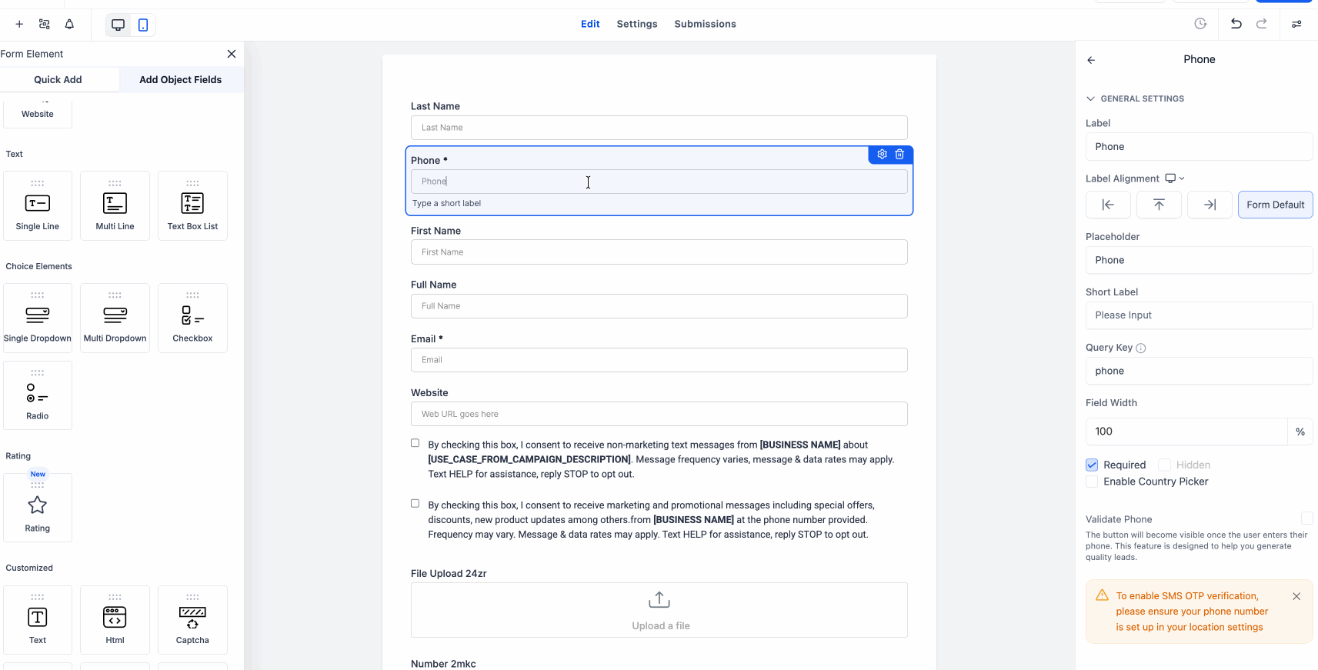
With this update, moving elements feels smoother and more intuitive. You’ll now see a subtle gray shadow while dragging elements, along with automatic scrolling when working on longer builds.
What’s new
- Dragged elements now show a subtle gray shadow for better visual feedback
- Drag-and-drop interactions feel smoother with a more polished animated experience
- Long forms, surveys, and quizzes now auto-scroll while dragging elements
- You can move elements higher or lower in longer builds without stopping to scroll manually
How to access
- Open the Form, Survey, or Quiz Builder and drag any element to a new position.
- As you move the element, you’ll see the updated drag effect and automatic scrolling when you reach the top or bottom of a long build.
Why it matters
- This makes building long forms, surveys, and quizzes much easier.
- You get clearer visual feedback while dragging, and you can reposition elements more smoothly without constantly dropping and scrolling by hand.
Was this article helpful?
That’s Great!
Thank you for your feedback
Sorry! We couldn't be helpful
Thank you for your feedback
Feedback sent
We appreciate your effort and will try to fix the article