What’s new
- Revamped Import UI & Guided Flow
The Blog Importer now follows a clearer, step-by-step journey which is Scan → Review → Map → Import
Enhancements include:
- Improved button labels
- Clearer progression between stages
- Better scanning feedback
- More intuitive placeholder text
- Improved Content Mapping Experience
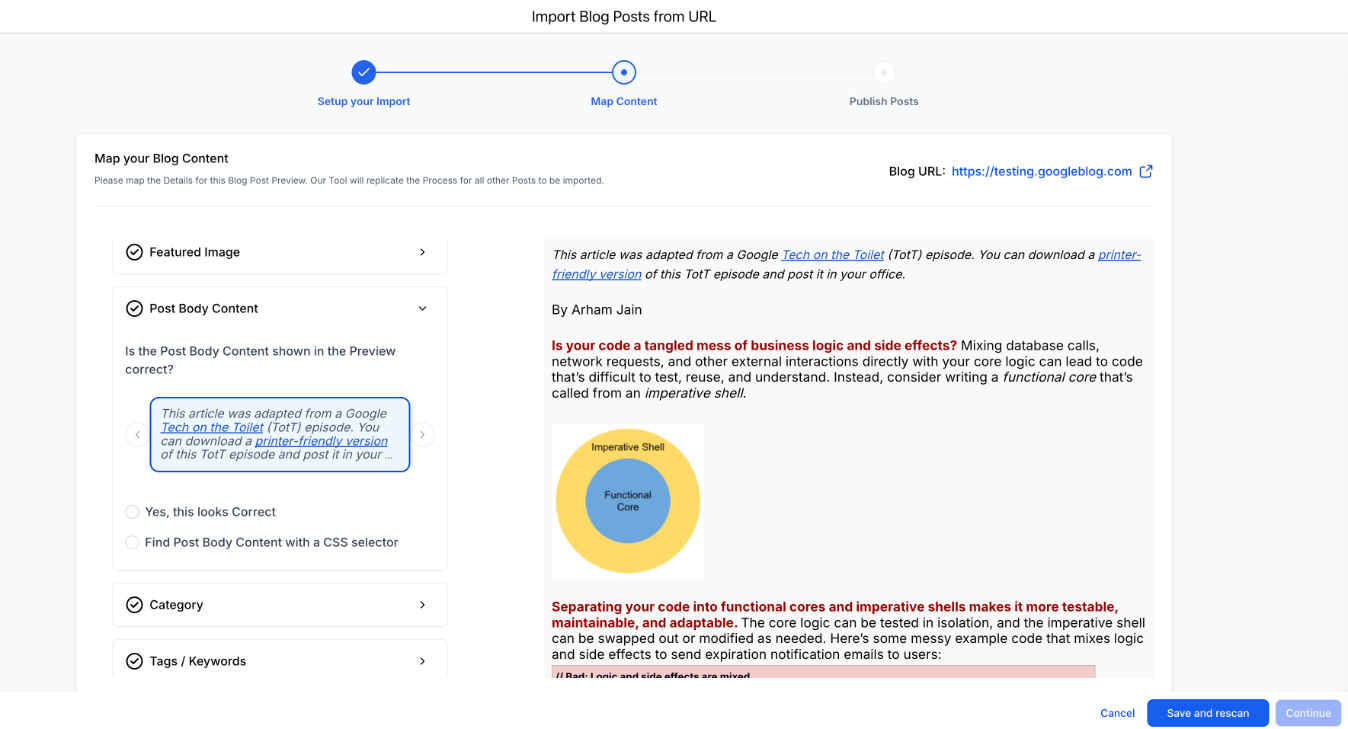
We’ve simplified metadata mapping to remove friction:
- Fixed confusing Previous/Next navigation
- Clearer preview and selection interface
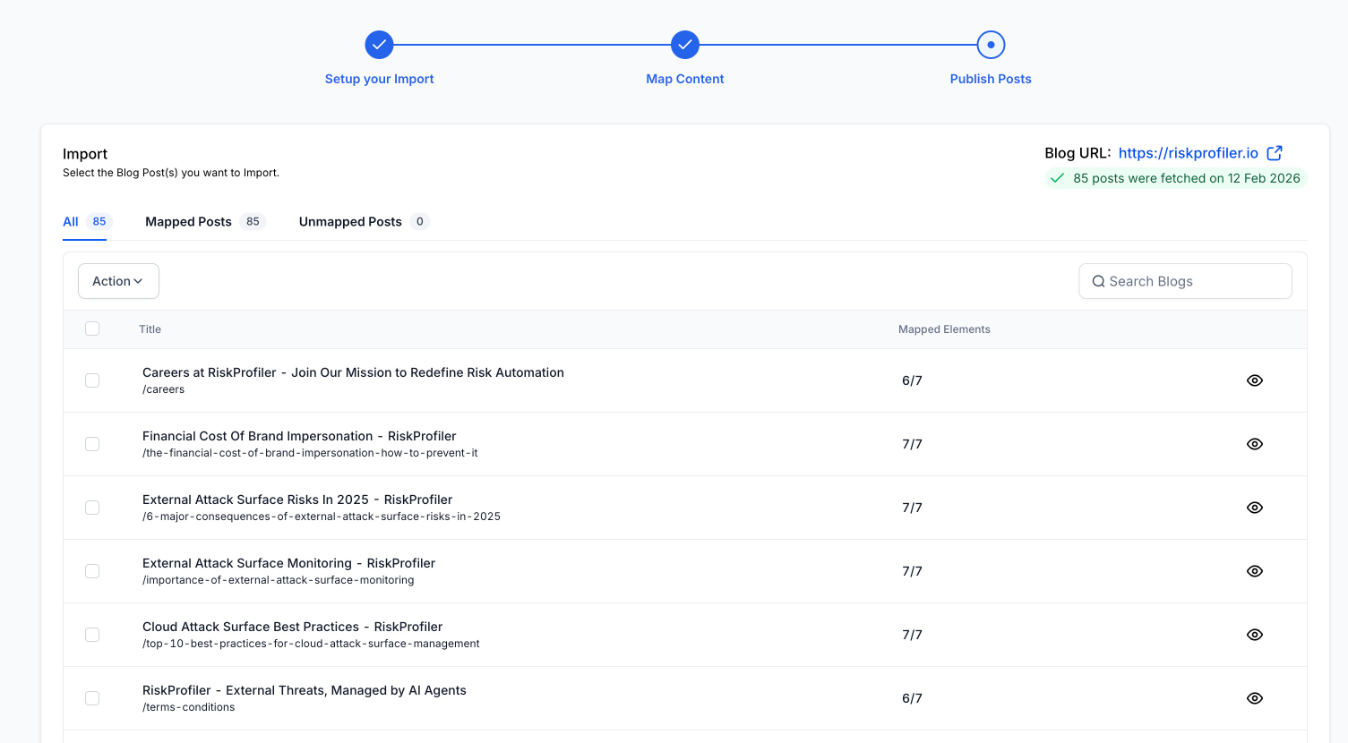
- Better visibility into mapped vs. unmapped posts
- Users can now confidently track what’s ready to import.
- Manual Metadata Mapping During Import
If imported posts are missing:
- Categories
- Authors
- Tags
Users can now add them directly during the import process instead of cancelling or restarting.
- Mapped vs. Unmapped Post Handling
Imports are now smarter and more flexible:
- Mapped posts → Imported as Published
- Unmapped posts → Imported as Draft
Users can import both types without being blocked, while still maintaining content integrity.
Why it matters
This upgrade helps users:
- Complete migrations with higher success rates
- Move from external CMS platforms with confidence
- Avoid manual copy-paste workflows
- Reduce dependency on support for blog recovery or mapping issues
How it works
- Go to Sites → Blogs
- Click Create New Blog Post → Import
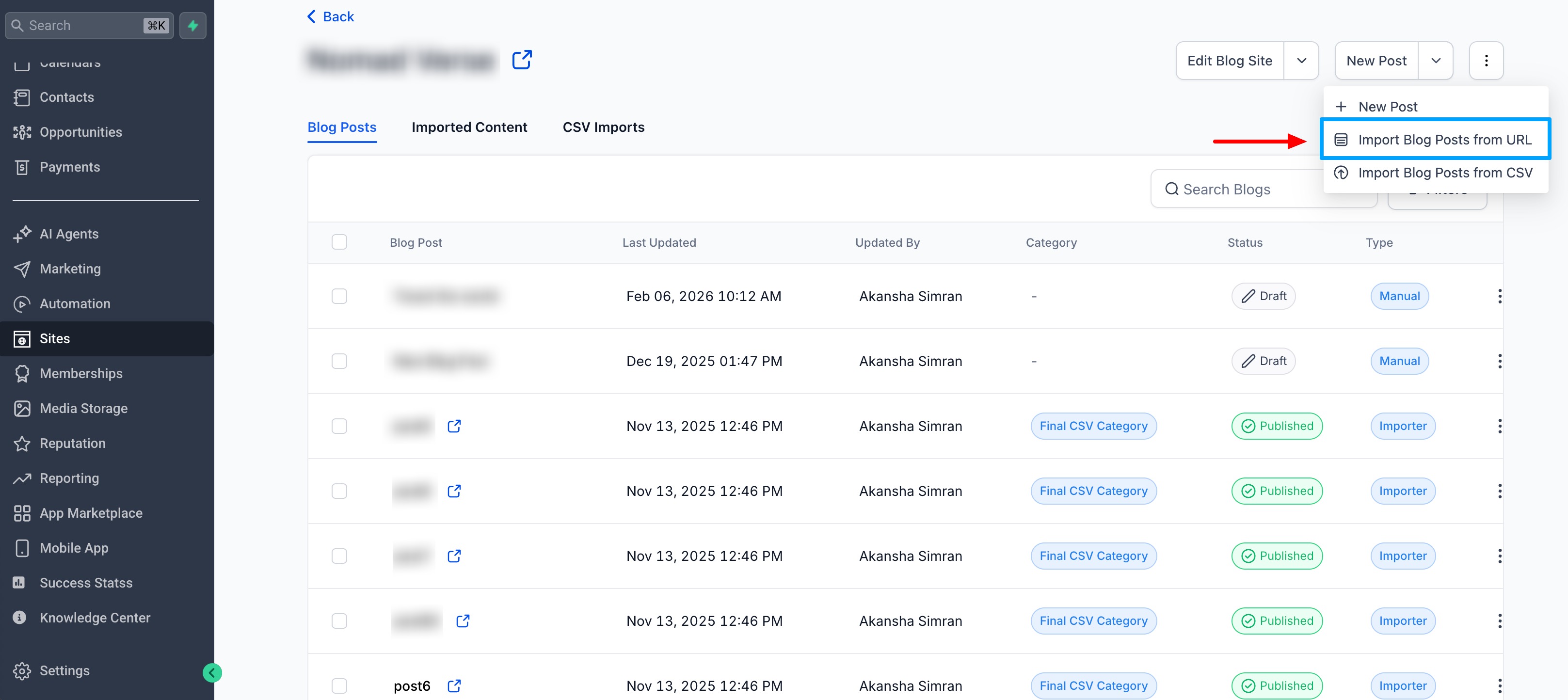
Enter homepage URL and scan
- Review detected posts
- Map metadata (author, category, tags) if needed
- Import mapped and/or unmapped posts
- Posts are automatically assigned the correct status (Published or Draft) based on mapping.
Was this article helpful?
That’s Great!
Thank you for your feedback
Sorry! We couldn't be helpful
Thank you for your feedback
Feedback sent
We appreciate your effort and will try to fix the article